What breaks when you connect 10 social media APIs
Notes from building Pogton Connect: OAuth quirks, token refresh, page and channel selection, media rules, async uploads, retries and webhooks across 10 social platforms.
- Written by
 Anton AndresenFounder, Pogton Technologies
- Published
- Reading time
- 11 min read
- Tags
- Pogton Connect
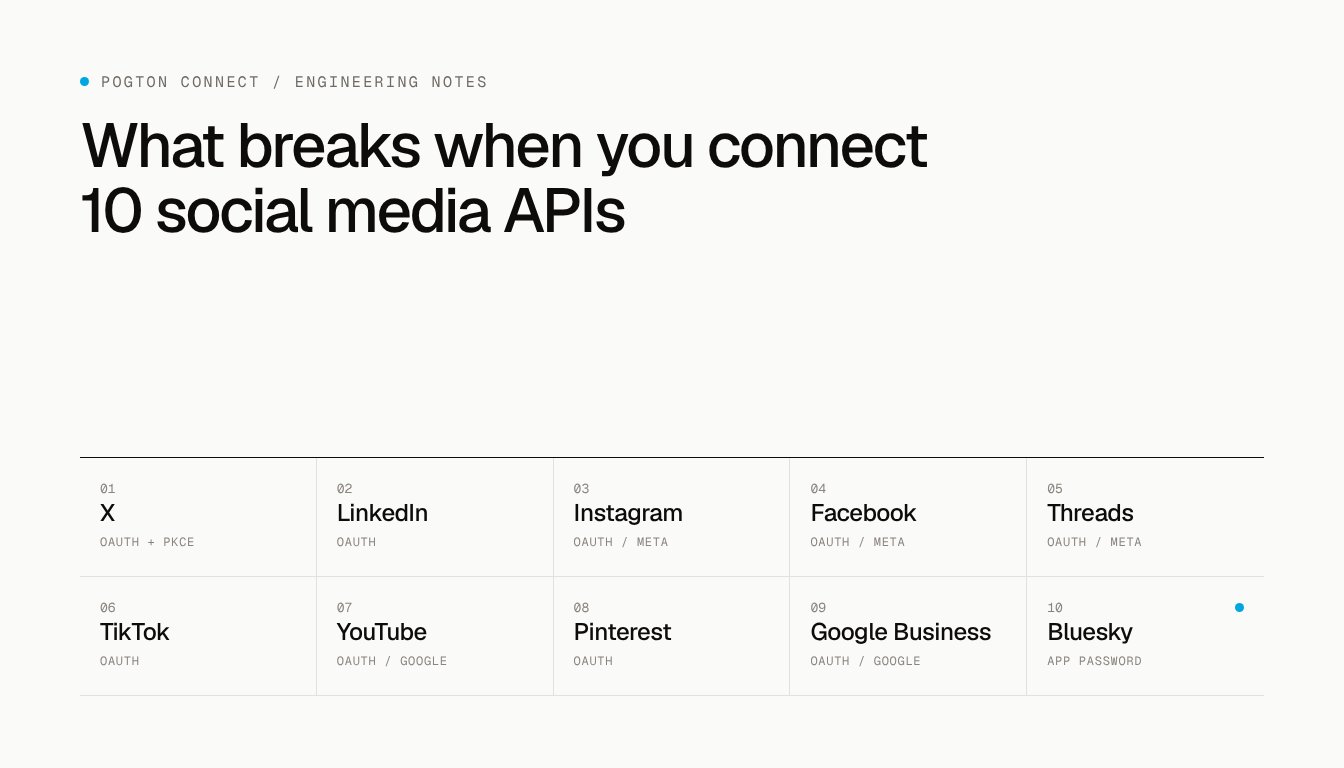
Pogton Connect does two things. Your users open a branded connect page and link their social accounts. Your backend then publishes to those accounts through one REST API. Behind that API sit ten platforms: X, LinkedIn, Instagram, Facebook, TikTok, YouTube, Pinterest, Threads, Bluesky and Google Business Profile.
On paper they all speak OAuth 2.0 and accept a POST with some text and an image. In practice almost every step differs. This post goes through the places where things broke or got more complicated than we expected, and what the code does about each one. It is meant for developers who are deciding whether to build this themselves.
Ten platforms, three kinds of login
Nine of the ten use an OAuth 2.0 authorization code flow. Bluesky does not. It uses an app password that the user generates in their Bluesky settings, so the connect page shows a handle and password form instead of a redirect.
The nine OAuth platforms need six registered apps, not nine. Instagram, Facebook and Threads all run on one Meta app. Threads still has its own authorize URL on threads.net and its own token endpoint on graph.threads.net, so "same app" does not mean "same flow". YouTube and Google Business share one Google client, with different scopes.
The authorization request itself is where the first special cases show up:
const params = new URLSearchParams({
  client_id: platformConfig.clientId,
  redirect_uri: redirectUri,
  // TikTok wants comma-separated scopes, everyone else spaces
  scope: platformConfig.scopes.join(platform === 'tiktok' ? ',' : ' '),
  response_type: 'code',
  state,
})

// TikTok calls the client ID `client_key`
if (platform === 'tiktok') {
  params.delete('client_id')
  params.set('client_key', platformConfig.clientId)
}

// Google (YouTube + Business Profile) only returns a refresh token with
// access_type=offline, and only reliably on re-consent with prompt=consent
if (platform === 'youtube' || platform === 'google_business') {
  params.set('access_type', 'offline')
  params.set('prompt', 'consent')
}
X adds PKCE on top: a code verifier in a short-lived cookie and its SHA-256 challenge in the URL. At the token exchange X also wants the client credentials in a Basic auth header, where other platforms take them in the form body.
Between the redirect and the callback we need to remember who is connecting. That goes in an httpOnly cookie that lives for 10 minutes and holds the OAuth state, the org, the end user's ID and the options from their connect link. The cookie is signed with an HMAC. An unsigned cookie would let a visitor edit it and attach their social account to somebody else's user ID.
Scope lists also vary a lot. Google Business needs one scope; LinkedIn needs several, because posting as a company page needs organization scopes on top of the member ones. Every extra feature, such as reading comments or analytics, tends to mean another scope, and most of them sit behind the platform's app review.
Every platform refreshes tokens differently
Access tokens expire. How you get a new one depends on the platform, and the differences go beyond the URL:
| Platform | How the token stays alive |
|---|---|
| X | refresh_token grant, client credentials in a Basic auth header |
refresh_token grant, Basic auth header | |
| YouTube, Google Business | refresh_token grant to Google's token endpoint |
| TikTok | refresh_token grant with client_key instead of client_id |
| Instagram, Facebook | No refresh token. The long-lived token is exchanged again with fb_exchange_token before it runs out |
| Threads | No refresh token. The long-lived token refreshes itself with th_refresh_token |
| Nothing. For most apps the user has to reconnect after 60 days | |
| Bluesky | Nothing. App passwords don't expire |
Two more details matter. Some platforms rotate the refresh token, so every response may contain a new one that must replace the old one. Response shapes differ too: TikTok nests the tokens under data, and some platforms leave out expires_in, so the code falls back to the documented lifetime.
Refreshing happens in two places. Once an hour, a scheduled job refreshes every account whose token expires within the next 48 hours. And right before publishing, the publisher checks the token again and refreshes it if it expires within five minutes. The second check matters more than it sounds: a post scheduled for 09:00 should not fail because the hourly job last ran at 08:00.
LinkedIn is the case that affects product design. With no refresh grant, a connected LinkedIn account stops working after 60 days, and nothing on our side can fix that silently. When a platform rejects a token, the account is marked as needing a reconnect and the customer gets an account.needs_reauth webhook. They then create a connect link with the account's ID, and the page asks the user to reconnect only that platform.
Bluesky has the opposite problem. There is no token to refresh, so we store the handle and app password, encrypted, and open a session against the user's PDS when publishing. Sessions are cached for a few minutes, because createSession is rate limited. All tokens and secrets are encrypted at rest with AES-256-GCM.
One login, several accounts
A single OAuth login often gives you access to more than one thing you can post to. One LinkedIn login can administer several company pages. A Facebook login comes with the pages the person manages. An Instagram business account is not something you log into directly through this flow. It hangs off a Facebook page as instagram_business_account. A Google login can own several YouTube channels. Google Business is two levels deep: we list accounts through one Google API, then locations under each account through a second one. Posts and reviews then need the full accounts/{a}/locations/{l} path, while the listing API returns locations/{l}.
So the callback cannot simply save "the account". After the token exchange, a fetchSubAccounts function that knows each platform's listing endpoint finds what the user can post to. These calls are allowed to fail. If the page listing for LinkedIn errors, the user still gets their personal profile.
// Hold the tokens and the discovered accounts for 10 minutes
await convex.mutation(api.connect.createOAuthSession, {
  sessionToken,
  accessToken: encrypt(accessToken),
  refreshToken: refreshToken ? encrypt(refreshToken) : undefined,
  availableAccounts: enrichedAccounts, // each flagged alreadyConnected
  // ...
})

// Single-account platforms are saved directly; the rest go to a picker
// where the user ticks pages, channels or locations
Each connected account is keyed by end user, platform and sub-account ID. Reconnecting the same page updates its tokens and clears the reconnect flag instead of creating a duplicate, which matters once LinkedIn users start reconnecting every 60 days.
Media and text rules do not line up
Your API wants one request shape: some text and a list of media. Each platform wants something else:
| Platform | Text limit | Media per post | Formats | Threads |
|---|---|---|---|---|
| X | 280 (weighted) | 4 images, or 1 video or GIF | text, image, video | Yes |
| 3,000 | 20 images, 1 video or 1 document | text, images, video, PDF, poll, article | No | |
| 2,200 | 20 | image, carousel, Reel, Story | No | |
| 63,206 | 10 photos or 1 video | text, photos, video, Reel | No | |
| Threads | 500 | 20 | text, image, video, carousel | Yes |
| Bluesky | 300 graphemes | 4 images or 1 video | text, image, video | Yes |
| TikTok | 2,200 | 1 video or 35 photos | video, photo carousel | No |
| YouTube | 5,000 | 1 video | video, Short | No |
| 800 | 5 | image, carousel, video pin | No | |
| Google Business | 1,500 | 1 photo | update, event, offer | No |
Even the text limit hides differences. X counts URLs as 23 characters and most CJK characters and emoji as two. Bluesky counts graphemes, so a family emoji is one character, but its rich text facets (links, mentions, hashtags) are addressed by UTF-8 byte offsets, so an emoji or an "å" shifts every offset after it. We validate all of this before anything is sent, so a post that one platform will reject fails at the API call with a field-level error instead of an hour later in a webhook. The same check is available on its own as a dry run.
Each platform also has options that only make sense there: TikTok's privacy level (required, and the creator's account decides which levels are allowed), YouTube's title and playlist, Pinterest's board, Instagram's Reel cover, LinkedIn's visibility, Threads' reply controls. Each platform module has its own option schema, and GET /api/v1/platforms publishes the limits and the JSON schema of every option, so customers can build their UI from it.
The table also hides how different the upload paths are:
- X: images are uploaded in one request; videos and GIFs go through a chunked initialize, append and finalize flow, then you wait for processing before the post can reference the media.
- LinkedIn: each asset type has its own API (images, videos, documents). Initialize the upload, PUT the bytes to the URLs LinkedIn returns, finalize, then reference the asset URN in the post. LinkedIn doesn't scrape links, so a link card means fetching the page's Open Graph data and uploading the thumbnail yourself.
- Instagram and Threads: create a media container, wait for it to finish processing, then publish the container in a second call. A carousel means one container per item, a parent container, then publish.
- Facebook: a multi-photo post means uploading each photo as unpublished first, then attaching the photo IDs to a feed post. Videos and Reels are uploaded by URL and processed asynchronously.
- TikTok: you ask the creator's account what it allows first, then either let TikTok pull the file from a URL (only from domains you have verified with TikTok) or upload it in chunks. Publishing is asynchronous: you poll a status endpoint until the post is live.
- YouTube: a resumable upload. More on that below.
- Google Business: one photo by URL, and posts can come back as "processing" or "rejected".
Long uploads in short functions
Pogton runs on serverless functions with a time limit measured in seconds. A YouTube video can be gigabytes. So no publish call is allowed to wait for a platform to finish.
Instead, a platform module can answer "processing" and save what it needs to continue: a container ID, a TikTok publish ID, a YouTube upload session and how many bytes it has sent. Once a minute the scheduler asks each processing post to take its next step, in its own function call. For YouTube that means asking the upload session how much it has received, then streaming the next chunks from the source file with HTTP Range requests for a few seconds, until the whole file is there. Then it sets the thumbnail, adds the video to a playlist and waits for YouTube's processing. A first comment is only posted once the video exists.
Every step has to be safe to run twice. If a function times out after Instagram published a container but before we saved the result, the next attempt must find the published media instead of publishing it again. If a thread on Threads was half-published, the next attempt works out which replies already exist.
Scheduling and partial failure
A post that targets four accounts has four results. We store one target per account, each with its own status, platform post ID, error and attempt count. The post's status is derived from its targets: published, partially_published, failed, or processing while a platform is still working.
Failures are classified. Rate limits, 5xx responses and network errors are retried, after a minute and then after five, or after whatever Retry-After says. A rejected token marks the account as needing a reconnect and is not retried. Content the platform refuses is reported straight away with the platform's message.
Scheduling works the same way. A scheduled function runs every minute, claims the posts that are due, and publishes each one in its own request, so one slow upload can't hold up the others. Posts go out within a minute of their time. Retries are just posts that are due again.
The customer hears about all of this through webhooks: post.published, post.partially_published, post.failed, account.needs_reauth and a few more, each with the post and its targets. Deliveries are signed with an HMAC over a timestamp and the body, and a failed delivery gets up to six attempts over about 15 hours. Every attempt is logged and can be sent again.
Credentials and app review
Each of the six apps has to be registered and configured with its platform before real users can connect, and most publishing and engagement permissions are gated behind the platform's app review. TikTok goes further: until your app passes its audit, it can only post to private accounts.
Customers can also bring their own approved apps, so their own name is on the consent screen. Each org can store its own client ID and secret per platform through PUT /api/v1/platform-credentials/{platform}. The secret is encrypted before it is stored and never returned. At connect time we resolve credentials per org and fall back to our own:
export async function resolvePlatformConfig(platform: string, orgSlug: string) {
  const base = getPlatformConfig(platform) // URLs and scopes, always ours

  try {
    const creds = await convex.query(api.connect.getPlatformCredentialsByOrgSlug, {
      slug: orgSlug,
      platform,
    })
    if (creds?.clientId && creds?.clientSecret) {
      return { ...base, clientId: creds.clientId, clientSecret: decrypt(creds.clientSecret) }
    }
  } catch {
    // fall back to managed credentials
  }
  return base
}
URLs and scopes always come from our platform definition. Only the client ID and secret change. Token refreshes must use the same app that issued the token, so each account remembers which client it was connected through.
The connect link
The end user never handles an API key. Your backend calls POST /api/v1/connect-link with your own user ID and gets back a URL to the branded page. The token in that URL is a base64url JSON payload plus an HMAC-SHA256 signature, valid for an hour by default. Only someone holding a valid API key can mint one. The link can also limit which platforms the page offers, set where the user lands afterwards, or name an account that needs reconnecting.
Where this lives now
We built all of this as Pogton Connect, so other teams do not have to repeat it. There is a sandbox with test keys that simulates every platform, an OpenAPI spec and an MCP server for AI agents. If you would rather build it yourself, the sections above are the list of things to plan for. If not, the product page is at /connect and the API reference is at /docs.
Share
Written by
Tech and AI entrepreneur. Founder of Pogton Technologies. Building technology companies with a focus on AI, software development and product.
Get in touch
Have a project in mind? Let's talk.
Tell us about your project and we'll get back to you within 24 hours with a tailored plan.